At a glance
ERIS has three front doors. Each has its own sign-in, and each person only sees what their role allows.
Owners & operators
Individuals and companies register vessels, pay the official tariff through Remita, book inspections and download permits and certificates.
NIWA staff
A separate, two-factor protected portal for Registry, Inspectors, Area Managers, Management and ICT. Not linked from the public site.
Anyone
Marine police, jetty operators and insurers check a permit by tracking number, QR code or the PDF itself. No sign-in, no personal data shown.

The journey, from sign-up to certificate
One application moves through five stages. Every step is recorded in NIWA's tamper-evident audit log, and the owner is told by email and SMS at each one.
Application statuses
These are the exact labels owners and staff see.
| Status | What it means | What happens next |
|---|---|---|
| Draft | Started, not submitted. Saved automatically. | Owner finishes and submits. |
| Awaiting payment | Invoice and Remita RRR raised. | Owner pays; ERIS confirms with Remita. |
| Under review | Payment confirmed. Registry checks documents. | Owner books inspection if needed. |
| Inspection | Documents fine; vessel needs inspecting. | Area Manager assigns an inspector. |
| Awaiting approval | Review and inspection done. | Area Manager decides. |
| Action needed | Corrections requested, or inspection failed. | Owner fixes and resubmits. No second payment. |
| Approved | Done. | Documents ready to download. |
| Rejected | Not approved, with a reason. | Owner corrects and resubmits. |
Fees come from the tariff, never from a keyboard
Fees are loaded from the NIWA Statutory Tariff Schedule (Revised April 2017, page 22) and chosen automatically from the craft type and gross tonnage. Nobody can type an invoice amount.
| Example vessel | Band | Fee |
|---|---|---|
| Motorised canoe, registration | V.1 Dingy Canoe (Motorized) | ₦1,500.00 |
| Work boat, outboard engine | V.1 Work Boat/ Outboard Engine | ₦7,500.00 |
| 32.5 t passenger boat, registration | V.1 25T to 40T | ₦60,000.00 |
| 85 t ferry, operational certificate | V.2 81T to 120T | ₦120,000.00 |
| 1,200 t tanker, registration | V.1 Above 1000T | ₦750,000.00 |
V.1 (permit fees per annum) is charged for registration and every annual permit renewal. V.2 (operational certificates) is charged for operational certificates and re-certification.
On a shared boundary such as exactly 10 tonnes, the lower band applies. Craft no band covers, for example a standard vessel under 5 tonnes, go to a Registry officer, who picks the band.
ICT can schedule a new rate with a future start date. Past invoices never change.

Owners and operators
Everything an individual or company needs, in the order they'll need it.
Create an account
- Select Create account and choose An individual or A company. Companies add their name and RC number.
- Sign up with an email or a phone number. The other one is optional.
- Choose a password: 10 or more characters, with upper and lower case and a number. The bar turns green when it's strong.
- Enter the 6-digit code ERIS sends. It expires in 10 minutes.

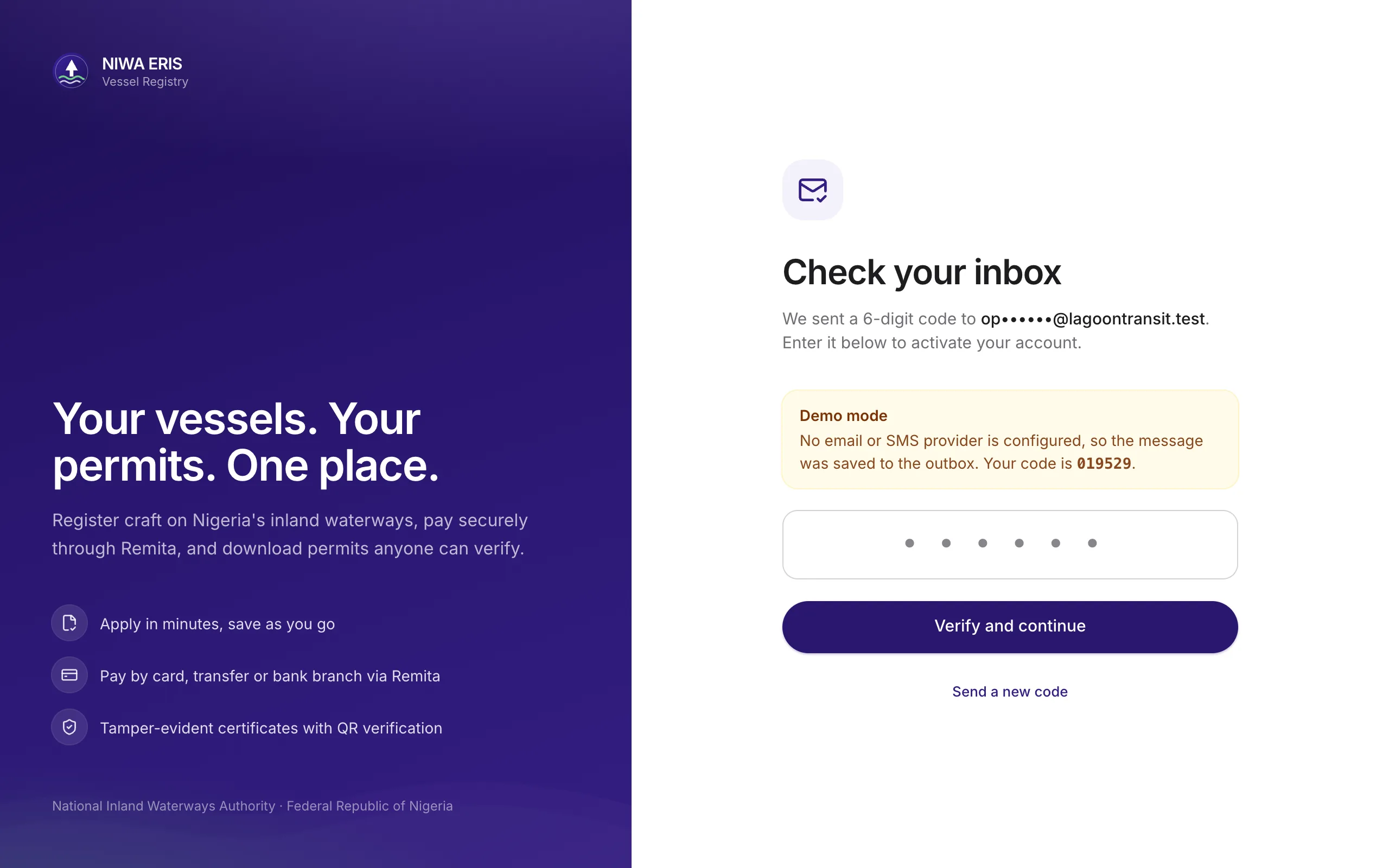
The home screen shows what to do next
Quick actions sit at the top, then totals, then a to-do list built from the owner's own applications and expiring documents.


Register a vessel in three steps
Registration gives a Registration Number, a Certificate of Registration and the first Annual Operation Permit. Everything saves as a draft, so an owner can stop and come back.
1 · Vessel details

2 · Documents


3 · Review, see the fee, submit

Pay through Remita
Submitting raises an invoice and a Remita Retrieval Reference (RRR). The application moves on only when Remita confirms the payment and the amount matches.


Book an inspection
Registration, operational certificates and re-certification need an inspection. Owners book once payment is confirmed: a weekday from tomorrow, an area office and where the vessel will be.

When NIWA asks for corrections
A red card quotes NIWA's exact message. The owner uploads a better file and resubmits. There's no second payment.

Certificates anyone can verify
On approval ERIS issues the documents instantly. Each is generated by the system, locked against editing, and carries its own random tracking number and QR code.


Renewals reuse saved data
Annual permits, operational certificates and re-certification pick a registered vessel and reuse its saved details. The owner confirms any changes and pays. Renewing early loses no time, because the new document starts from the current expiry date.

Fleet and payments
Operators with several craft see every vessel in one table, with one-tap renewal.


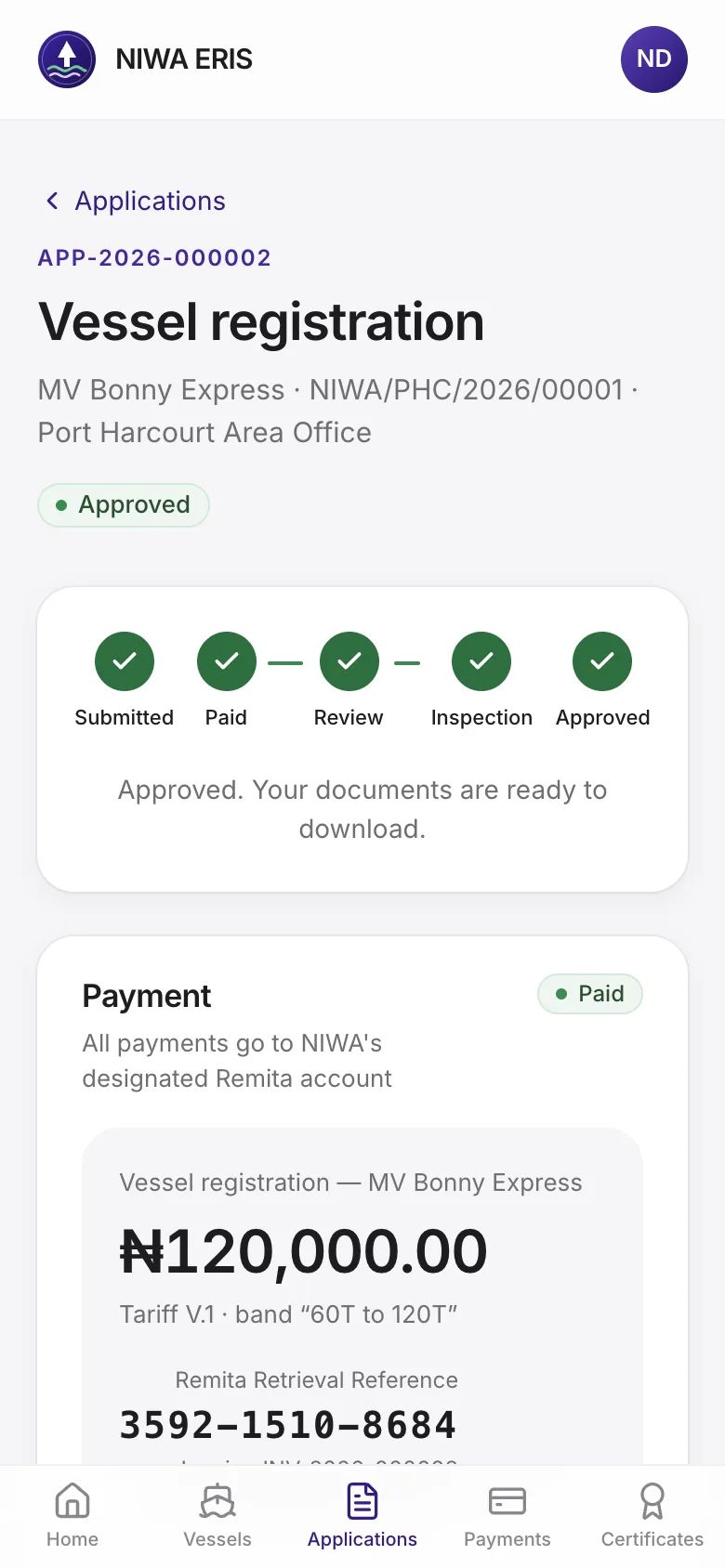
Built for the phone in the owner's pocket
On a phone, the menu moves to a bottom tab bar and tables become cards. Nothing to install.


Verifying a document
For anyone holding a NIWA permit or certificate. No account needed.
Scan, type or upload
Scan the QR code, or type the tracking number at /verify. The page shows NIWA's own record, so an altered paper copy is exposed at once. Uploading the PDF confirms whether it is the exact file NIWA issued.


NIWA staff
Each role sees only its own work, and Area Managers and Inspectors only their own area office.
A separate, protected staff portal
Staff sign in at /staff/login with their work email, password and an authenticator app. Owner accounts can't sign in there, and staff accounts can't sign in on the owner page. Sessions end after 30 minutes idle.


| Role | Sees | Main jobs |
|---|---|---|
| Registry Officer | All offices | Review documents, request corrections, recommend, set fee bands |
| Area Manager | Own office | Assign inspectors, approve or reject, office dashboard and reconciliation |
| Inspector | Own assignments | Record pass or fail with notes and up to 10 photos |
| NIWA Management | All offices, read-only | Dashboard, reconciliation, Excel and PDF exports |
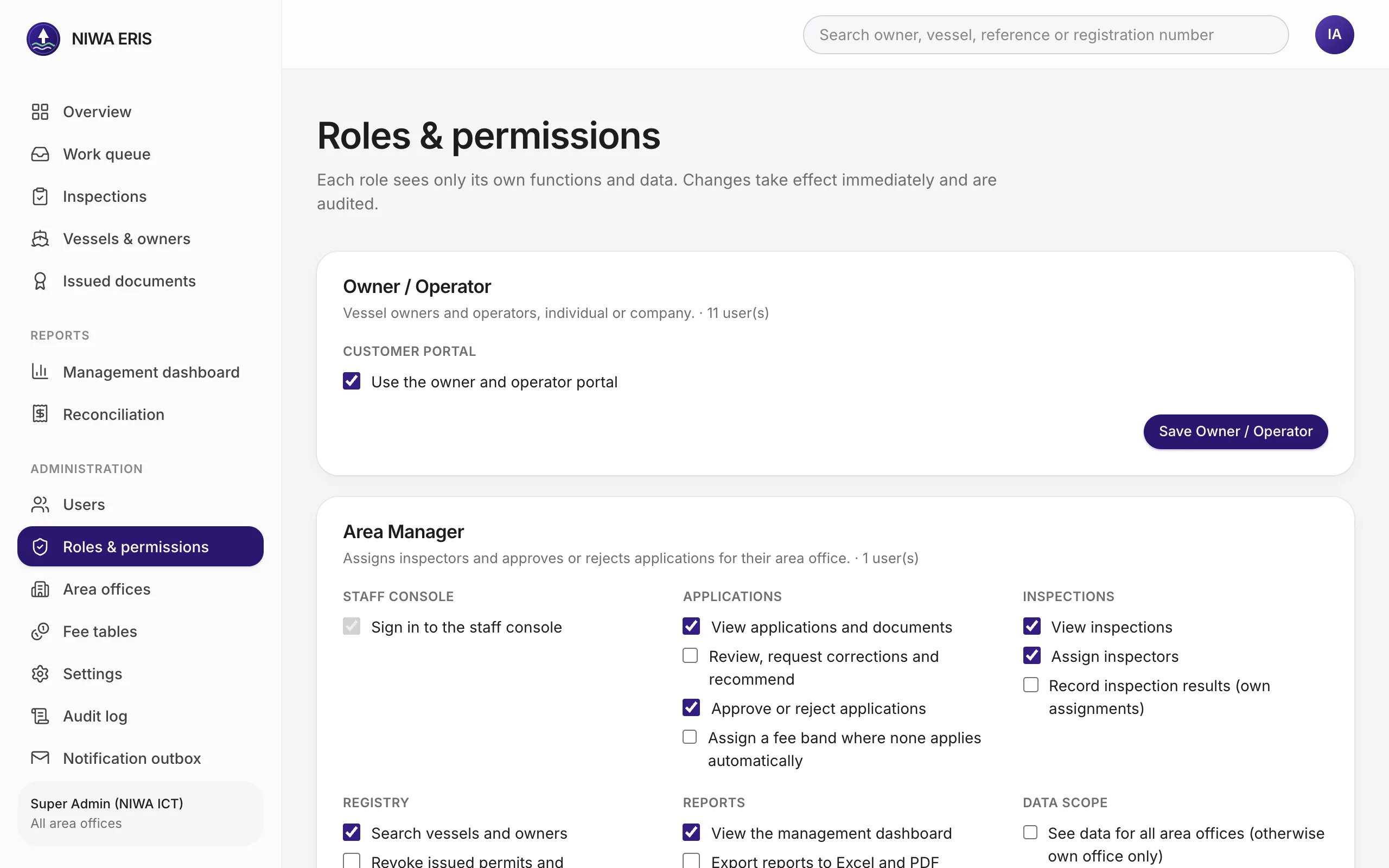
| Super Admin (ICT) | Everything | Users, roles, offices, fee tables, settings, audit log, outbox |
Registry Officer
Works the queue: open an application, check the documents, then recommend it or send it back with a clear message.

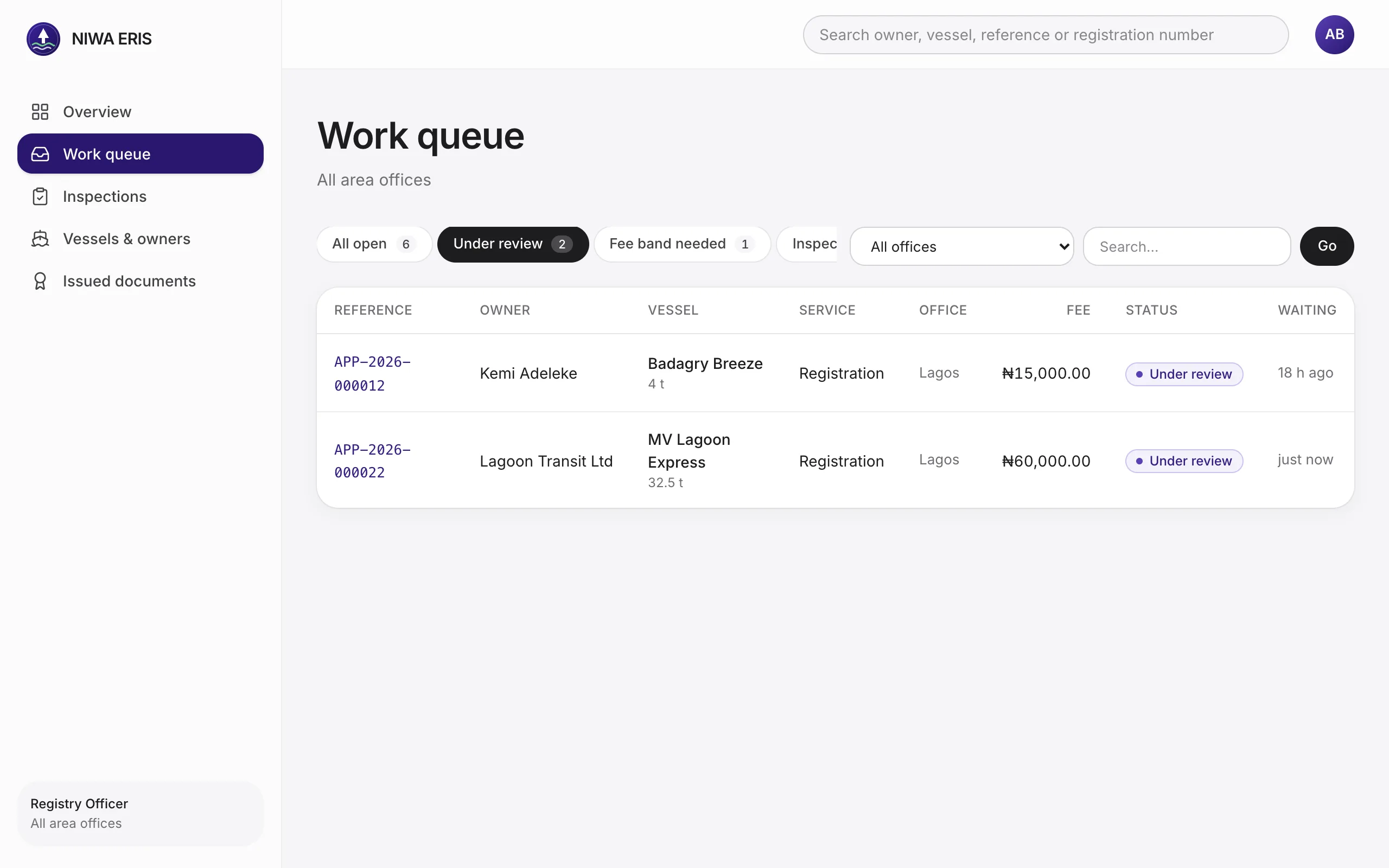


Area Manager
Assigns inspectors for the office's bookings, then makes the final decision.


Inspector
Designed to work on a phone at the jetty. Photos can come straight from the camera.


Management dashboard and reconciliation
Revenue counts only payments Remita has confirmed, so the dashboard and the reconciliation report agree to the naira.


Super Admin (NIWA ICT)
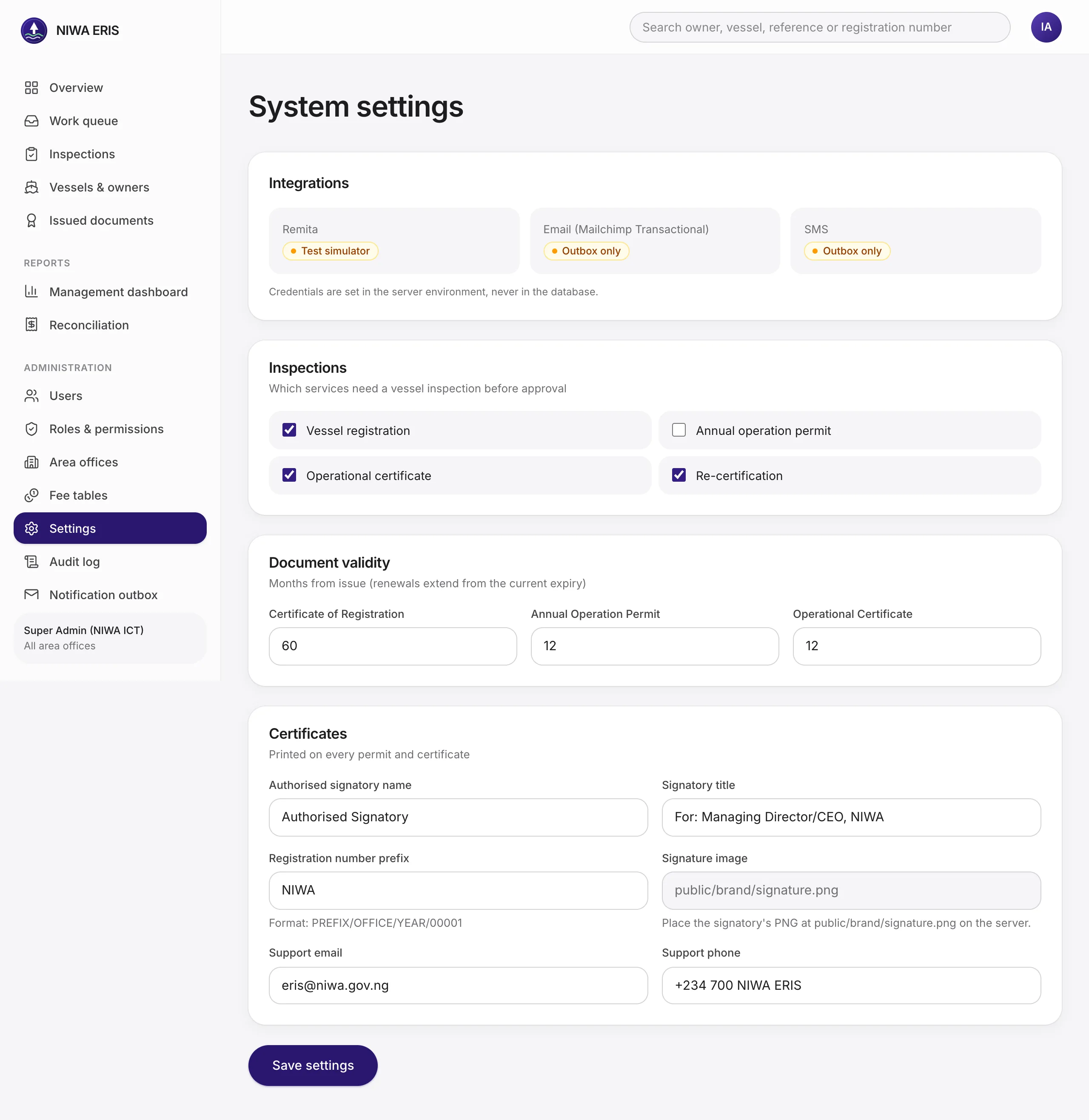
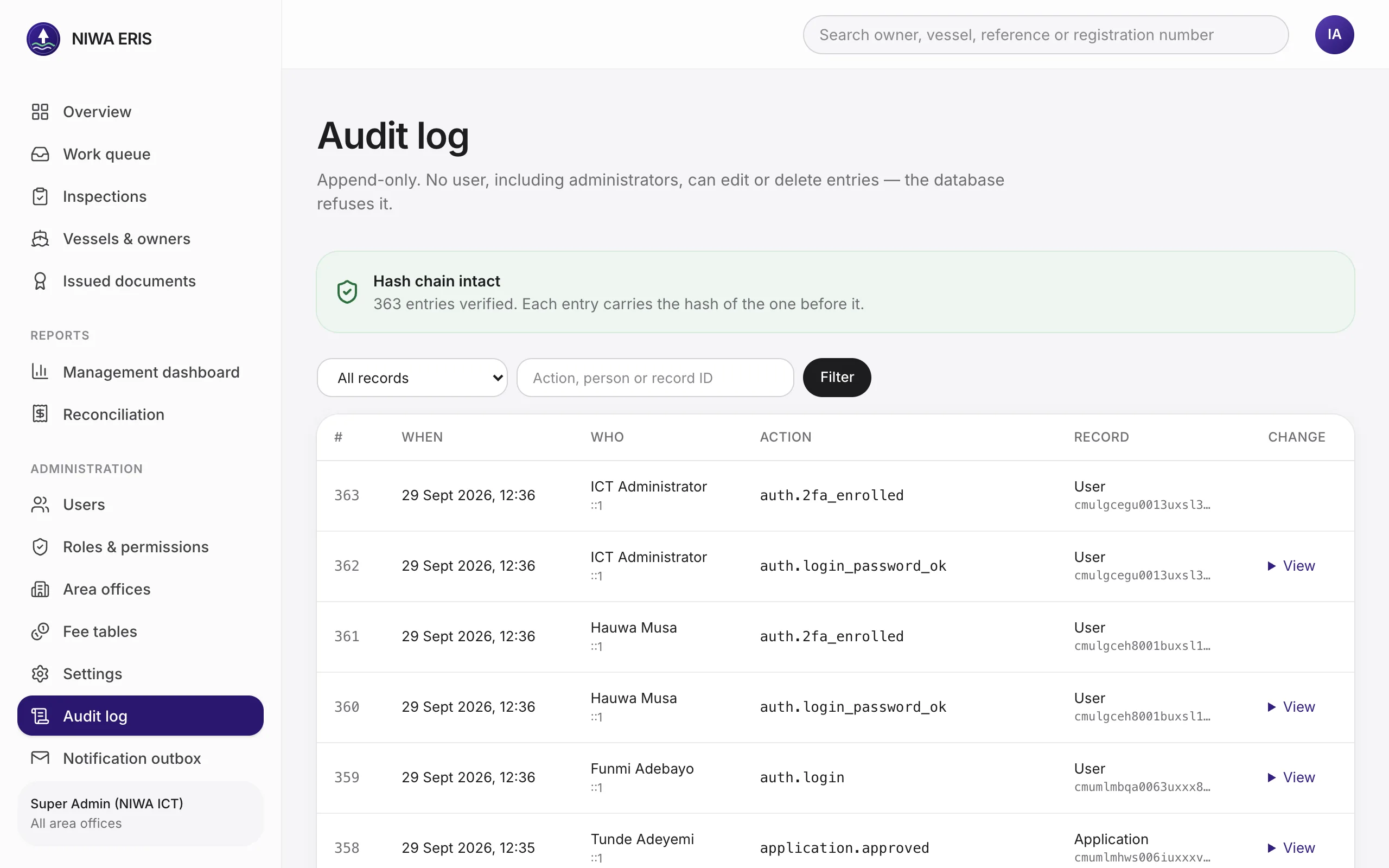
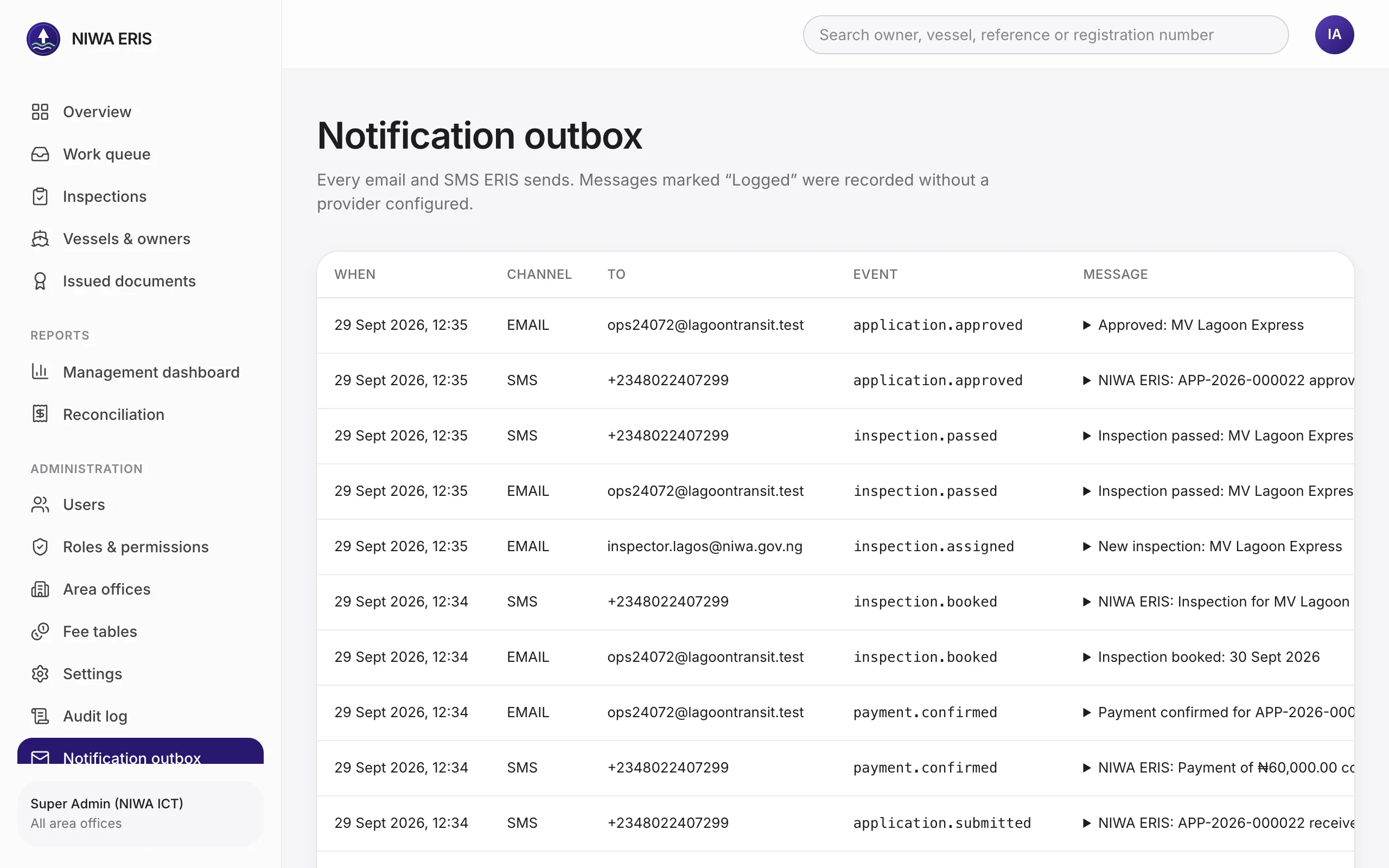
Everything that runs the system, without touching code.
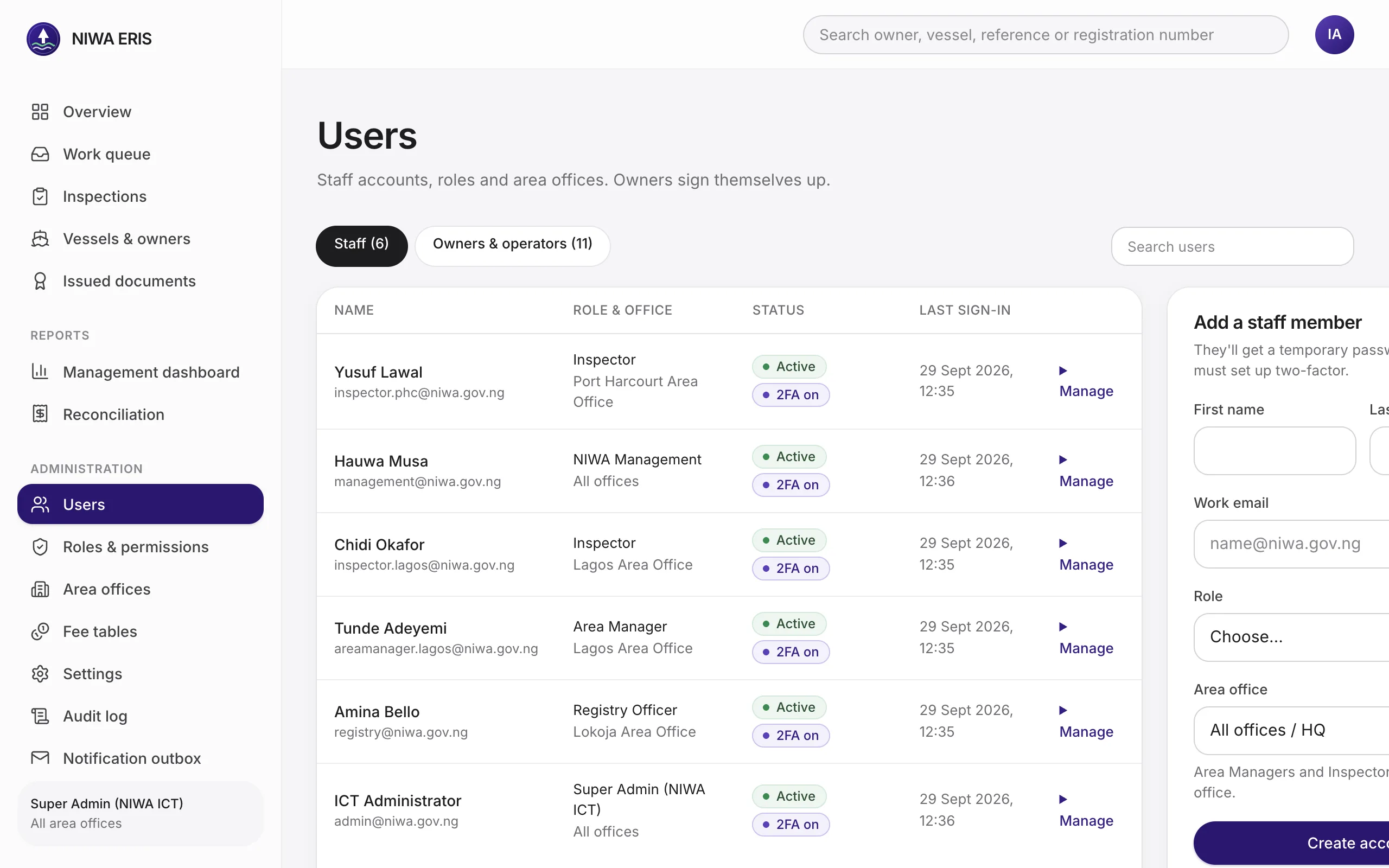


Where Release 1 stands
PRD go-live checks
Each check from the PRD, and how it was proven. The screenshots in this guide come from one live run of the full workflow.
| Check | Result |
|---|---|
| New owner signs up, adds a vessel, uploads documents and submits | Passed |
| Correct fee band and amount for each tariff | Passed 16 invoices across canoe, work boat, pleasure boat, every tonnage range, above 1000T, and V.2 |
| Remita RRR generated, paid in test mode, application moves on automatically | Passed Built-in test checkout. Needs NIWA’s Remita test credentials for the final check. |
| Inspector records a pass; Area Manager approves | Passed |
| Permit PDF with crest, watermark, microtext, signature, tracking number and QR; QR shows valid | Passed |
| Issued PDF confirmed on upload; an edited copy rejected | Passed A single changed byte is rejected |
| Two documents for one vessel have unrelated tracking numbers | Passed |
| Expired document shows as expired | Passed |
| Fleet account with 3 vessels sees all 3 | Passed |
| Dashboard revenue matches reconciliation to the naira | Passed ₦3,112,500.00 on both |
| Email and SMS for submission, payment and approval | Recorded in the outbox; needs Mailchimp and SMS keys to deliver |
| Audit log shows every step; an admin cannot delete an entry | Passed The database itself refuses edits and deletes |
| Vulnerability scan shows no high or critical findings | To do On staging before go-live |
Decisions and inputs needed from NIWA
Registration number format
Currently NIWA/LAG/2026/00001. Hard to change once issued.
Which services need inspection
Registration, operational certificate and re-certification are on; annual permit renewal is off. A setting.
Remita credentials
Merchant ID, service type ID and API key, test then live, plus the notification URL registered with Remita.
Email and SMS keys
Mailchimp Transactional and an SMS provider, so codes and updates reach people.
Crest and signature
The official crest artwork and the signatory's signature image and title.
Tariff row 13
“Aeroflot and Helicopters” at ₦2.5m is loaded as printed. Confirm or drop.